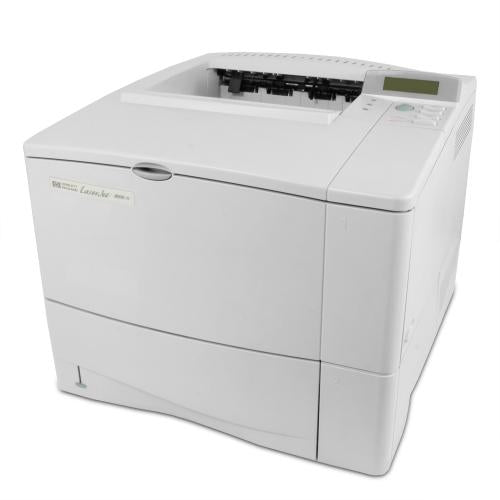
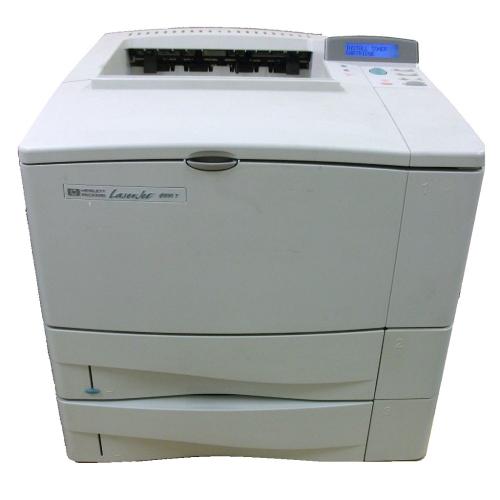
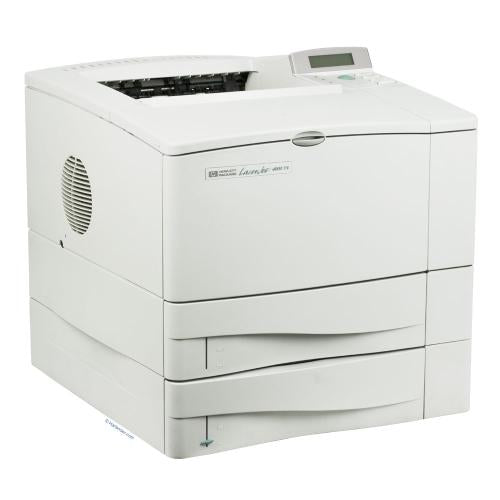
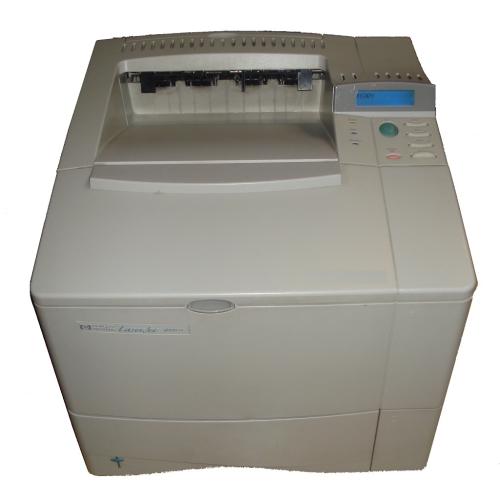
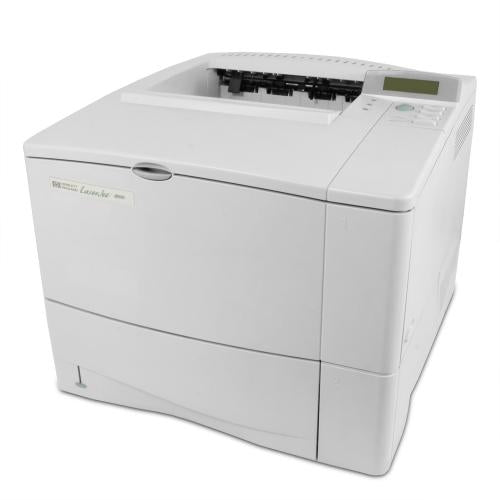
Laser Printer

Laser Printer Parts

A color laser printer builds a page with toner powder, static electricity, drums, a transfer system, and heat. The main wear parts include toner cartridges, imaging drums, transfer belts, fuser assemblies, pickup rollers, separation pads, transfer rollers, fans, and boards. When one part wears out, print quality, paper movement, or startup reliability can suffer. GenuineReplacementParts.com helps customers identify color laser printer parts by model number, error code, and page symptom.

What are the parts of a color laser printer? Most models use four toner colors: black, cyan, magenta, and yellow. The imaging drum or drum unit creates the image for each color. The transfer belt lines up the colors and moves the image toward the paper. The fuser uses heat and pressure to bond toner to the sheet. Pickup rollers and separation pads feed one sheet at a time. Formatter boards, power supplies, high-voltage boards, sensors, and fans control the process.

A common question is whether laser printers are being phased out. They are not universally disappearing, but some homes and offices are choosing tank-style inkjet printers for lower energy use, lower running cost, or lighter-duty color needs. Laser printers still make sense for many offices because they are fast, durable, and strong for text-heavy jobs. For repair decisions, focus on the printer's workload, part cost, page count, and whether replacement fusers or maintenance kits are available.

Is it worth repairing a laser printer? Often, yes, when the printer is a business-grade model, has a reasonable page count, and needs a normal wear item such as a fuser, transfer belt, roller kit, or maintenance kit. Repair may be less appealing if the printer has several major board faults, heavy internal toner contamination, or a low replacement value. A test page can help identify whether the problem is a consumable, wear part, or electronic issue.

Color laser symptoms often show up on the printed page. Repeating spots can point to a drum, fuser roller, or transfer component depending on the spacing. Loose toner that wipes off usually points toward fuser heat or pressure. Color misregistration can involve the transfer belt, calibration, toner, or sensors. Paper jams can come from rollers, tray guides, sensors, duplex assemblies, or worn separation pads.

Color Laser Symptoms and Likely Parts

Symptom

Likely part

What to inspect

Toner rubs off page

Fuser assembly, fuser power circuit

Fuser error, heat, paper type, correct voltage

Repeating marks

Drum, fuser roller, transfer belt

Spacing of defect and affected color

Colors do not line up

Transfer belt, calibration sensor, toner/drum

Run calibration and check belt condition

Paper jams at tray

Pickup roller, separation pad, tray assembly

Roller texture, paper guides, tray fit

Jams near exit

Fuser, exit rollers, duplex path

Let printer cool before inspecting fuser area

Fan noise or overheating

Cooling fan, power supply, blocked vents

Dust, fan connector, airflow path

Core Laser Parts and Functions

Part

Function

Fit detail

Fuser

Melts and presses toner into paper

Voltage, model number, page rating, connector style

Transfer belt

Carries aligned color image toward paper

Belt assembly number and printer series

Imaging drum

Forms image for toner transfer

Separate drum or cartridge-integrated design

Roller kit

Feeds and separates sheets

Tray location and roller shape

Formatter board

Controls print data and printer logic

Board number, ports, firmware family

If the machine also scans, copies, and uses an automatic document feeder, it may belong with color MFP printer parts because MFP models add scanner assemblies, ADF rollers, control panels, and heavier service kits.

Safety is especially important with color laser printers. Fusers get hot enough to bond toner to paper, so let the printer cool before touching the fuser area. Avoid touching the surface of drums or transfer belts. Toner is a fine powder, so handle cartridges and waste containers gently and avoid blowing toner with compressed air in a way that spreads dust. Unplug the printer before replacing boards or power components.

If your printer uses liquid ink, clogged nozzles, or refillable tanks, use color inkjet printer parts instead of laser parts. Inkjet printheads and laser fusers solve very different problems.

Before ordering, gather the brand, exact model number, page count if available, error code, and whether the defect affects one color or all colors. Print a supplies status page and a test page if the printer allows it. For fusers, confirm voltage and part number. For transfer belts, compare the assembly code. GenuineReplacementParts.com helps shoppers match color laser parts by the details that protect print quality and machine safety.

A defect page can guide the repair. If marks repeat at regular intervals, measure the distance between marks and compare it to the circumference of likely rollers, drums, or fuser parts when service data is available. If only cyan, magenta, yellow, or black is affected, start with that color's toner or drum area. If every color is affected, look toward transfer, fusing, paper, or calibration issues.

Do not overlook paper and environment. Damp paper, glossy media in the wrong mode, heavy cardstock, dust, and blocked vents can create symptoms that look like part failure. Try a fresh ream of supported paper and confirm the media setting before replacing a fuser or transfer assembly. If the printer is in a dusty office, cleaning accessible paper-path areas may help rollers and sensors work correctly.

Color laser printers also use sensors to monitor doors, trays, cartridges, waste toner, and paper position. A broken flag or dirty sensor can stop printing even when the main imaging parts are healthy. If an error mentions a door, tray, or sensor path, inspect the small levers and plastic tabs before buying larger assemblies.

For networked office printers, separate printer hardware from driver or queue problems. If the printer can print its own internal test page but not jobs from a computer, check the connection, driver, print queue, and permissions before replacing formatter or network parts. If the internal test page itself shows defects, the problem is more likely inside the printer.

POPULAR Laser Printer BRANDS

Search result

Show filters
1 - 40 out of 12 results found in 0.003s
Sorted by

A color laser printer builds a page with toner powder, static electricity, drums, a transfer system, and heat. The main wear parts include toner cartridges, imaging drums, transfer belts, fuser assemblies, pickup rollers, separation pads, transfer rollers, fans, and boards. When one part wears out, print quality, paper movement, or startup reliability can suffer. GenuineReplacementParts.com helps customers identify color laser printer parts by model number, error code, and page symptom.

What are the parts of a color laser printer? Most models use four toner colors: black, cyan, magenta, and yellow. The imaging drum or drum unit creates the image for each color. The transfer belt lines up the colors and moves the image toward the paper. The fuser uses heat and pressure to bond toner to the sheet. Pickup rollers and separation pads feed one sheet at a time. Formatter boards, power supplies, high-voltage boards, sensors, and fans control the process.

A common question is whether laser printers are being phased out. They are not universally disappearing, but some homes and offices are choosing tank-style inkjet printers for lower energy use, lower running cost, or lighter-duty color needs. Laser printers still make sense for many offices because they are fast, durable, and strong for text-heavy jobs. For repair decisions, focus on the printer's workload, part cost, page count, and whether replacement fusers or maintenance kits are available.

Is it worth repairing a laser printer? Often, yes, when the printer is a business-grade model, has a reasonable page count, and needs a normal wear item such as a fuser, transfer belt, roller kit, or maintenance kit. Repair may be less appealing if the printer has several major board faults, heavy internal toner contamination, or a low replacement value. A test page can help identify whether the problem is a consumable, wear part, or electronic issue.

Color laser symptoms often show up on the printed page. Repeating spots can point to a drum, fuser roller, or transfer component depending on the spacing. Loose toner that wipes off usually points toward fuser heat or pressure. Color misregistration can involve the transfer belt, calibration, toner, or sensors. Paper jams can come from rollers, tray guides, sensors, duplex assemblies, or worn separation pads.

Color Laser Symptoms and Likely Parts

Symptom

Likely part

What to inspect

Toner rubs off page

Fuser assembly, fuser power circuit

Fuser error, heat, paper type, correct voltage

Repeating marks

Drum, fuser roller, transfer belt

Spacing of defect and affected color

Colors do not line up

Transfer belt, calibration sensor, toner/drum

Run calibration and check belt condition

Paper jams at tray

Pickup roller, separation pad, tray assembly

Roller texture, paper guides, tray fit

Jams near exit

Fuser, exit rollers, duplex path

Let printer cool before inspecting fuser area

Fan noise or overheating

Cooling fan, power supply, blocked vents

Dust, fan connector, airflow path

Core Laser Parts and Functions

Part

Function

Fit detail

Fuser

Melts and presses toner into paper

Voltage, model number, page rating, connector style

Transfer belt

Carries aligned color image toward paper

Belt assembly number and printer series

Imaging drum

Forms image for toner transfer

Separate drum or cartridge-integrated design

Roller kit

Feeds and separates sheets

Tray location and roller shape

Formatter board

Controls print data and printer logic

Board number, ports, firmware family

If the machine also scans, copies, and uses an automatic document feeder, it may belong with color MFP printer parts because MFP models add scanner assemblies, ADF rollers, control panels, and heavier service kits.

Safety is especially important with color laser printers. Fusers get hot enough to bond toner to paper, so let the printer cool before touching the fuser area. Avoid touching the surface of drums or transfer belts. Toner is a fine powder, so handle cartridges and waste containers gently and avoid blowing toner with compressed air in a way that spreads dust. Unplug the printer before replacing boards or power components.

If your printer uses liquid ink, clogged nozzles, or refillable tanks, use color inkjet printer parts instead of laser parts. Inkjet printheads and laser fusers solve very different problems.

Before ordering, gather the brand, exact model number, page count if available, error code, and whether the defect affects one color or all colors. Print a supplies status page and a test page if the printer allows it. For fusers, confirm voltage and part number. For transfer belts, compare the assembly code. GenuineReplacementParts.com helps shoppers match color laser parts by the details that protect print quality and machine safety.

A defect page can guide the repair. If marks repeat at regular intervals, measure the distance between marks and compare it to the circumference of likely rollers, drums, or fuser parts when service data is available. If only cyan, magenta, yellow, or black is affected, start with that color's toner or drum area. If every color is affected, look toward transfer, fusing, paper, or calibration issues.

Do not overlook paper and environment. Damp paper, glossy media in the wrong mode, heavy cardstock, dust, and blocked vents can create symptoms that look like part failure. Try a fresh ream of supported paper and confirm the media setting before replacing a fuser or transfer assembly. If the printer is in a dusty office, cleaning accessible paper-path areas may help rollers and sensors work correctly.

Color laser printers also use sensors to monitor doors, trays, cartridges, waste toner, and paper position. A broken flag or dirty sensor can stop printing even when the main imaging parts are healthy. If an error mentions a door, tray, or sensor path, inspect the small levers and plastic tabs before buying larger assemblies.

For networked office printers, separate printer hardware from driver or queue problems. If the printer can print its own internal test page but not jobs from a computer, check the connection, driver, print queue, and permissions before replacing formatter or network parts. If the internal test page itself shows defects, the problem is more likely inside the printer.

422 products

Part

Samsung Transfer-Cartridge - JC96-06514A
JC96-06514A
$201.09 $261.42

In stock 0 Products

Quick View

In stock 0 Products

NLA

Samsung

$201.09 $261.42
Quick View

Part

Hp Pca-Formatter Lj M2727Nf/Nfs M - CC370-60001
CC370-60001
$181.50 $235.95

In stock 1 Products

Quick View

In stock 1 Products

Part

HP

$181.50 $235.95
Quick View

Model

In stock 0 Products

Model

HP

$99,999.00
Quick View

Model

In stock 0 Products

Model

HP

$99,999.00
Quick View

Model

In stock 0 Products

Model

HP

$99,999.00
Quick View

Model

In stock 0 Products

Model

HP

$99,999.00
Quick View

Model

In stock 0 Products

Model

HP

$99,999.00
Quick View

Model

In stock 0 Products

Model

HP

$99,999.00
Quick View

Model

In stock 0 Products

Model

HP

$99,999.00
Quick View

Model

Hp Us C4120A Laserjet 4000N Parts

In stock 0 Products

Model

HP

$99,999.00
Quick View

Model

Hp Us C4119A Laserjet 4000T Parts

In stock 0 Products

Model

HP

$99,999.00
Quick View

Model

Hp Us C4121A Laserjet 4000Tn Parts

In stock 0 Products

Model

HP

$99,999.00
Quick View

Model

Hp Us C3094A Laserjet 4000 Parts

In stock 0 Products

Model

HP

$99,999.00
Quick View

Model

Hp Us C4118A Laserjet 4000 Parts

In stock 0 Products

Model

HP

$99,999.00
Quick View

Part

2007-000033
$6.95 $9.05

In stock 0 Products

Quick View

In stock 0 Products

Part

Samsung

$6.95 $9.05
Quick View

Part

2007-000173
$5.85 $7.61

In stock 0 Products

Quick View

In stock 0 Products

Part

Dacor

$5.85 $7.61
Quick View

Part

2007-000736
$6.95 $261.42

In stock 0 Products

Quick View

In stock 0 Products

Part

Samsung

$6.95 $261.42
Quick View

Part

2007-000043
$6.95 $9.04

In stock 0 Products

Quick View

In stock 0 Products

Part

Samsung

$6.95 $9.04
Quick View

Part

2203-000812
$5.85 $261.42

In stock 0 Products

Quick View

In stock 0 Products

Part

Dacor

$5.85 $261.42
Quick View

Part

2203-000254
$7.85 $10.21

In stock 0 Products

Quick View

In stock 0 Products

Part

Dacor

$7.85 $10.21
Quick View

Frequently Asked Questions

Quick answers for your replacement part needs

Where can I find genuine replacement parts for my appliance?

Finding genuine replacement parts for your appliances has never been easier! We offer authentic parts for over 250 brands, including LG, Samsung, Whirlpool, Kenmore, Dyson, Bosch, and Liebherr. Simply enter your appliance's model number on our website, and explore our extensive selection of compatible parts designed to restore your appliance's peak performance and reliability.

What type of appliance parts and accessories are available for purchase?

Are your replacement parts compatible with all models?

What if I can’t find the appliance part I need?

How can I track my order for appliance parts online?

How long will it take to receive my replacement parts order?

Can I return appliance parts if they are not compatible with my model?

How can I update my shipping address after placing an order?

How can I get in touch with customer support?

Couldn’t find the answer to your question?

Your satisfaction matters. Let us know how we can assist with your repair journey.

Your Cart ( 0 items)

You currently have 0 items in your Cart

Return to shop
Menu

Compatible Models