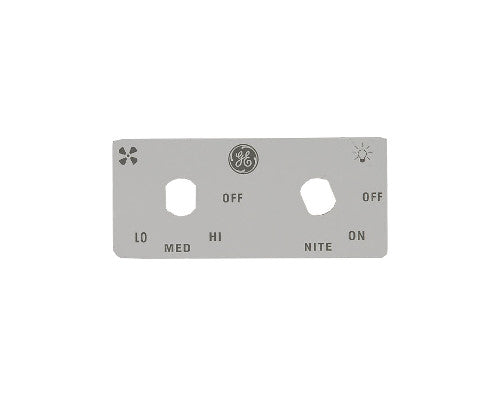
Hood Switch

Hood Switch Parts

Range Hood Switches

A range hood switch controls the fan, light, and speed settings that make the hood usable every day. If the fan will not start, the light will not turn on, a button is stuck, or the hood only works on one speed, the switch or control assembly may need replacement.

What does a hood switch do? It sends power to the fan motor, lamp, or control circuit when you press a button, move a slider, turn a knob, or select a fan speed. Some range hoods use separate switches for the fan and light. Others use a combined switch assembly, an electronic touch panel, or a control board behind the front panel.

Because switch terminal layouts and electrical ratings vary by model, the replacement should match the original part closely. Search by your range hood model number, then compare the switch type, terminal count, voltage rating, button style, and mounting shape before ordering.

Types of Range Hood Switches

Range hood switches can be simple or highly model-specific. A basic under-cabinet hood may use a rocker switch for the light and a separate fan speed switch. A chimney-style hood may use push buttons or a control panel. Some older hoods use a hood slider to adjust speed, while others use a rotary hood knob for fan or light control.

If the control area is cracked, loose, or no longer holds the buttons correctly, inspect the hood panel as well. A good switch may not feel right if the surrounding panel is broken. On digital models, the visible button area and the internal electronic board may be separate parts, so matching the exact diagram is important.

Switch Style

Common Use

Symptoms When It Fails

Rocker switch

Simple fan or light on/off control

Switch feels loose, stuck, or does not click

Push-button switch

Fan speed and light buttons

One button stops responding or remains pressed

Rotary switch

Multi-speed fan control

Fan skips speeds or knob turns without response

Slider control

Variable fan speed on some hoods

Speed is erratic or slider feels worn

Electronic touch control

Modern control panels

Buttons beep but do not activate parts, or display fails

How to Fix Range Hood Light Switch Problems

So, how to fix range hood light switch issues? Start by disconnecting power at the breaker. Then check whether the lamp itself is good, the socket is clean, and the bulb is the correct type. If the bulb and socket are fine but the light still does not respond, the light switch, wiring, or control panel may be the next part to inspect.

If the fan works but the light does not, the problem may be limited to the light side of the switch. If both the fan and light are dead, check the incoming power and the main control path. A switch should not be replaced by appearance alone because the same button shape may use different terminals behind the panel.

How to test a hood switch? After power is disconnected and the switch is accessible, a technician or experienced DIYer can use a multimeter to check continuity when the switch is pressed or moved between positions. If the switch does not open and close the circuit correctly, replacement is usually needed. If the switch tests fine, the issue may be the motor, lamp, transformer, or wiring harness instead.

Problem

Possible Cause

Part to Consider

Light button does nothing

Failed light switch, bad lamp, or loose socket

hood lamp and switch assembly

Fan button works only sometimes

Worn fan switch or loose terminal

Model-matched fan speed switch

Fan works on one speed only

Failed speed contacts or control board issue

Multi-speed switch or electronic control

Button panel is cracked

Damaged front control area

Replacement panel or switch assembly

Fan will not start but hums

Motor or capacitor issue

hood motor and start component inspection

How to Replace Range Hood Buttons or Switches

So, how to replace range hood buttons? First disconnect power. Remove the filters if they block access to the control area, then remove the screws holding the front control cover or lower panel. Take a photo of the wiring before disconnecting anything. Release the old switch or button assembly from its clips or screws, install the new part in the same position, reconnect the wires, and test the hood after reassembly.

Some switch repairs are easier when the entire assembly is replaced instead of one button. If the button caps, board, and harness are sold together for your model, that assembly may reduce guesswork. If only one physical button is broken, compare the part diagram to see whether the button, overlay, switch, and harness are separate service parts.

If a switch repeatedly fails, look beyond the button. A motor drawing too much current, moisture around the controls, grease behind the panel, or a loose terminal can cause repeat problems. On some fan circuits, a failing hood capacitor can make the motor hard to start and may cause the control side to seem unreliable.

Choosing the Correct Hood Switch

The correct switch must match how your hood is wired. Look for the exact model number inside the hood body, behind the grease filter, or near the motor cavity. Then compare the replacement switch to the original. Pay close attention to terminal count, terminal shape, switch rating, button configuration, and whether the part controls the fan, light, or both.

It is tempting to use a universal switch when the front looks similar, but range hood controls are not always interchangeable. A mismatch can create poor fit, incorrect fan speeds, lights that stay on, or unsafe wiring. A model-matched replacement helps the hood respond the way it was designed to.

Before ordering a switch, check whether the problem is mechanical or electrical. A cracked button cap, loose knob, or sticky slider may stop the control from feeling right even if the electrical switch still works. On the other hand, a switch can look perfectly fine from the outside while the contacts inside are worn. This is why model number lookup and a careful symptom check both matter.

If your hood uses several buttons in one strip, do not assume each button is sold separately. Many hoods use a complete switch assembly or control board that includes fan, light, and speed buttons together. Replacing the full assembly can be the cleanest fix when multiple controls are failing or when the plastic housing no longer holds the switch firmly.

A switch repair is also a good time to clean grease from the control area. Grease can make buttons sticky and can hide screw heads or clips during disassembly. Clean gently around the controls with power disconnected, keep moisture away from wiring, and let the area dry before testing the new switch.

If the old switch has a part number printed on the body, keep it nearby while shopping. That number, combined with the hood model number, gives you the clearest path to a correct match.

A working switch makes the range hood feel normal again. The fan starts when needed, lights turn on cleanly, and speed changes respond without hesitation. With the right replacement switch, you can restore control without replacing the full hood.

Search result

Show filters
1 - 40 out of 12 results found in 0.003s
Sorted by

Range Hood Switches

A range hood switch controls the fan, light, and speed settings that make the hood usable every day. If the fan will not start, the light will not turn on, a button is stuck, or the hood only works on one speed, the switch or control assembly may need replacement.

What does a hood switch do? It sends power to the fan motor, lamp, or control circuit when you press a button, move a slider, turn a knob, or select a fan speed. Some range hoods use separate switches for the fan and light. Others use a combined switch assembly, an electronic touch panel, or a control board behind the front panel.

Because switch terminal layouts and electrical ratings vary by model, the replacement should match the original part closely. Search by your range hood model number, then compare the switch type, terminal count, voltage rating, button style, and mounting shape before ordering.

Types of Range Hood Switches

Range hood switches can be simple or highly model-specific. A basic under-cabinet hood may use a rocker switch for the light and a separate fan speed switch. A chimney-style hood may use push buttons or a control panel. Some older hoods use a hood slider to adjust speed, while others use a rotary hood knob for fan or light control.

If the control area is cracked, loose, or no longer holds the buttons correctly, inspect the hood panel as well. A good switch may not feel right if the surrounding panel is broken. On digital models, the visible button area and the internal electronic board may be separate parts, so matching the exact diagram is important.

Switch Style

Common Use

Symptoms When It Fails

Rocker switch

Simple fan or light on/off control

Switch feels loose, stuck, or does not click

Push-button switch

Fan speed and light buttons

One button stops responding or remains pressed

Rotary switch

Multi-speed fan control

Fan skips speeds or knob turns without response

Slider control

Variable fan speed on some hoods

Speed is erratic or slider feels worn

Electronic touch control

Modern control panels

Buttons beep but do not activate parts, or display fails

How to Fix Range Hood Light Switch Problems

So, how to fix range hood light switch issues? Start by disconnecting power at the breaker. Then check whether the lamp itself is good, the socket is clean, and the bulb is the correct type. If the bulb and socket are fine but the light still does not respond, the light switch, wiring, or control panel may be the next part to inspect.

If the fan works but the light does not, the problem may be limited to the light side of the switch. If both the fan and light are dead, check the incoming power and the main control path. A switch should not be replaced by appearance alone because the same button shape may use different terminals behind the panel.

How to test a hood switch? After power is disconnected and the switch is accessible, a technician or experienced DIYer can use a multimeter to check continuity when the switch is pressed or moved between positions. If the switch does not open and close the circuit correctly, replacement is usually needed. If the switch tests fine, the issue may be the motor, lamp, transformer, or wiring harness instead.

Problem

Possible Cause

Part to Consider

Light button does nothing

Failed light switch, bad lamp, or loose socket

hood lamp and switch assembly

Fan button works only sometimes

Worn fan switch or loose terminal

Model-matched fan speed switch

Fan works on one speed only

Failed speed contacts or control board issue

Multi-speed switch or electronic control

Button panel is cracked

Damaged front control area

Replacement panel or switch assembly

Fan will not start but hums

Motor or capacitor issue

hood motor and start component inspection

How to Replace Range Hood Buttons or Switches

So, how to replace range hood buttons? First disconnect power. Remove the filters if they block access to the control area, then remove the screws holding the front control cover or lower panel. Take a photo of the wiring before disconnecting anything. Release the old switch or button assembly from its clips or screws, install the new part in the same position, reconnect the wires, and test the hood after reassembly.

Some switch repairs are easier when the entire assembly is replaced instead of one button. If the button caps, board, and harness are sold together for your model, that assembly may reduce guesswork. If only one physical button is broken, compare the part diagram to see whether the button, overlay, switch, and harness are separate service parts.

If a switch repeatedly fails, look beyond the button. A motor drawing too much current, moisture around the controls, grease behind the panel, or a loose terminal can cause repeat problems. On some fan circuits, a failing hood capacitor can make the motor hard to start and may cause the control side to seem unreliable.

Choosing the Correct Hood Switch

The correct switch must match how your hood is wired. Look for the exact model number inside the hood body, behind the grease filter, or near the motor cavity. Then compare the replacement switch to the original. Pay close attention to terminal count, terminal shape, switch rating, button configuration, and whether the part controls the fan, light, or both.

It is tempting to use a universal switch when the front looks similar, but range hood controls are not always interchangeable. A mismatch can create poor fit, incorrect fan speeds, lights that stay on, or unsafe wiring. A model-matched replacement helps the hood respond the way it was designed to.

Before ordering a switch, check whether the problem is mechanical or electrical. A cracked button cap, loose knob, or sticky slider may stop the control from feeling right even if the electrical switch still works. On the other hand, a switch can look perfectly fine from the outside while the contacts inside are worn. This is why model number lookup and a careful symptom check both matter.

If your hood uses several buttons in one strip, do not assume each button is sold separately. Many hoods use a complete switch assembly or control board that includes fan, light, and speed buttons together. Replacing the full assembly can be the cleanest fix when multiple controls are failing or when the plastic housing no longer holds the switch firmly.

A switch repair is also a good time to clean grease from the control area. Grease can make buttons sticky and can hide screw heads or clips during disassembly. Clean gently around the controls with power disconnected, keep moisture away from wiring, and let the area dry before testing the new switch.

If the old switch has a part number printed on the body, keep it nearby while shopping. That number, combined with the hood model number, gives you the clearest path to a correct match.

A working switch makes the range hood feel normal again. The fan starts when needed, lights turn on cleanly, and speed changes respond without hesitation. With the right replacement switch, you can restore control without replacing the full hood.

53 products

Part

Bertazzoni Horizontal Control Switcher Z200089
Z200089
$258.95 $335.86

In stock 13 Products

Quick View

In stock 13 Products

Part

Bertazzoni

$258.95 $335.86
Quick View

Part

GE Cooking Product Hood Range Fan Switch WB24X10129
WB24X10129
$12.95 $19.95

In stock 253 Products

Quick View

In stock 253 Products

Part

GE

$12.95 $19.95
Quick View

Part

GE Fan Switch - WB24X10130
WB24X10130
$9.95 $16.95

In stock 36 Products

Quick View

In stock 36 Products

Part

GE

$9.95 $16.95
Quick View

Part

Ge Switch Panel - WB02X11036
WB02X11036
$17.85 $23.21

In stock 1 Products

Quick View

In stock 1 Products

Part

GE

$17.85 $23.21
Quick View

Part

GE Cooking Product Switch Box Assembly WB03X10347
WB03X10347
$256.85 $333.91

In stock 0 Products

Quick View

In stock 0 Products

Part

GE

$256.85 $333.91
Quick View

Part

GE Cooking Product Switch Box Assembly WB03X10334
WB03X10334
$217.95 $224.95

In stock 2 Products

Quick View

In stock 2 Products

Part

GE

$217.95 $224.95
Quick View

Part

Elica Range Hood Rotating Switch Ric.Refaccin I - RIC00262
RIC00262
$37.45 $48.69

In stock 13 Products

Quick View

In stock 13 Products

Part

Elica

$37.45 $48.69
Quick View

Part

DG81-04122A
$224.95 $336.64

In stock 0 Products

Quick View

In stock 0 Products

Part

Samsung

$224.95 $336.64
Quick View

Part

109472
$0.00

In stock 0 Products

Quick View

In stock 0 Products

NLA

Dacor

$0.00
Quick View

Part

Elica Switch Ric.Refaccin Int.Relayt - RIC00263
RIC00263
$11.31 $18.31

In stock 22 Products

Quick View

In stock 22 Products

Part

Elica

$11.31 $18.31
Quick View

Part

Elica Switches Protection Ass.Suppor - CSS0107246A
CSS0107246A
$86.85 $112.91

In stock 0 Products

Quick View

In stock 0 Products

Part

Elica

$86.85 $112.91
Quick View

Part

Dacor Part# 82713 Limit Switch (OEM)
82713
$6.75 $8.78

In stock 0 Products

Quick View

In stock 0 Products

NLA

Dacor

$6.75 $8.78
Quick View

Part

Elica Lamp Switch - 2011AI
2011AI
$13.21 $20.21

In stock 8 Products

Quick View

In stock 8 Products

Part

Elica

$13.21 $20.21
Quick View

Part

Dacor Push Button Switch White - 113701
113701
$28.90 $336.64

In stock 0 Products

Quick View

In stock 0 Products

NLA

Dacor

$28.90 $336.64
Quick View

Part

Dacor Switch Rocker On/Off - 109548
109548
$5.98 $336.64

In stock 0 Products

Quick View

In stock 0 Products

NLA

Dacor

$5.98 $336.64
Quick View

Part

109085
$110.89 $336.64

In stock 0 Products

Quick View

In stock 0 Products

NLA

Dacor

$110.89 $336.64
Quick View

Part

Dacor Cap, Rocker Switch - 103606
103606
$11.89 $15.46

In stock 0 Products

Quick View

In stock 0 Products

NLA

Dacor

$11.89 $15.46
Quick View

Part

Dacor Power Switch - 101962
101962
$13.55 $17.62

In stock 0 Products

Quick View

In stock 0 Products

NLA

Dacor

$13.55 $17.62
Quick View

Part

Dacor Switch, Rocker, On/O - 102887
102887
$1.67 $2.17

In stock 0 Products

Quick View

In stock 0 Products

NLA

Dacor

$1.67 $2.17
Quick View

Part

Dacor Membrane Switch Pane - 101655
101655
$241.82 $314.37

In stock 0 Products

Quick View

In stock 0 Products

NLA

Dacor

$241.82 $314.37
Quick View

Frequently Asked Questions

Quick answers for your replacement part needs

Where can I find genuine replacement parts for my appliance?

Finding genuine replacement parts for your appliances has never been easier! We offer authentic parts for over 250 brands, including LG, Samsung, Whirlpool, Kenmore, Dyson, Bosch, and Liebherr. Simply enter your appliance's model number on our website, and explore our extensive selection of compatible parts designed to restore your appliance's peak performance and reliability.

What type of appliance parts and accessories are available for purchase?

Are your replacement parts compatible with all models?

What if I can’t find the appliance part I need?

How can I track my order for appliance parts online?

How long will it take to receive my replacement parts order?

Can I return appliance parts if they are not compatible with my model?

How can I update my shipping address after placing an order?

How can I get in touch with customer support?

Couldn’t find the answer to your question?

Your satisfaction matters. Let us know how we can assist with your repair journey.

Your Cart ( 0 items)

You currently have 0 items in your Cart

Return to shop
Menu

Compatible Models