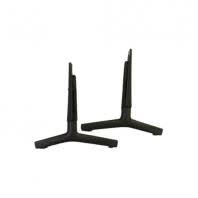
The Home Theater, TV & Video collection brings together TV replacement parts, home theater replacement parts, accessories, and components for televisions and related video equipment. At Genuine Replacement Parts, you can find replacement components such as mainboards, T-Con boards, power supply boards, LED backlight strips, stands, wall mounts, remote controls, IR sensors, speakers, cables, connectors, fans, and other electronic and mechanical parts. Match your equipment model number and existing part number to find the correct replacement part for your repair.
Common TV and home theater repairs involve mainboards, control boards, T-Con boards, power supply boards, LED backlight components, remote controls, IR sensors, speakers, subwoofers, cables, connectors, fans, stands, mounts, brackets, and other replacement components. These parts should be selected by model number because televisions and home theater systems that look similar can use different connectors, board revisions, mounting points, dimensions, or component configurations.
How to Find the Right TV or Home Theater Replacement Part
Your equipment model number is one of the most important details when looking for a TV or home theater replacement part. For televisions, the model label is commonly located on the back of the unit, on the side or rear panel, or in the original documentation. For home theater equipment, check the rear, bottom, or side of the component for the model and serial information.
Search using the complete model number first, then narrow the results by part type or component number. A TV that will not power on may require a power supply board or mainboard. A display problem may involve a T-Con board, LED backlight component, or another display-related part. A home theater system with missing audio may require a speaker, subwoofer, cable, amplifier-related component, or control board. Matching the exact model and existing part number is more reliable than selecting a replacement component only because it looks similar.
|
Equipment type
|
Parts users commonly replace
|
What to check before ordering
|
|
Television
|
Mainboards, power supply boards, T-Con boards, LED backlight strips, speakers, IR sensors, remote controls, displays, cables, and connectors
|
Check the complete model number, board part number, connector arrangement, dimensions, and component revision.
|
|
Home theater system
|
Speakers, subwoofers, control boards, power boards, cables, connectors, remote controls, fans, and other internal components
|
Check the equipment model, component number, connector type, mounting points, and system compatibility.
|
|
TV accessories and mounting
|
Remote controls, IR sensors, stands, wall mounts, brackets, spacers, screws, and related mounting hardware
|
Check the mounting pattern, equipment size, hardware dimensions, remote compatibility, and model number.
|
|
Video and connection equipment
|
Cables, connectors, input components, control boards, and other connection-related parts
|
Check the connector style, cable type, port configuration, equipment model, and signal requirements.
|
What TV and Home Theater Parts Are Commonly Replaced?
TV and home theater owners replace parts for both simple accessory needs and more advanced electronic repairs. Common replacements include components responsible for power, display processing, illumination, audio, control, cooling, connections, and equipment support. Instead of replacing a component based only on a symptom, identify the equipment model and inspect the related components so the replacement matches the original configuration.
|
Part family
|
What it does
|
Common signs it needs replacement
|
|
Mainboards and control boards
|
Process signals and control television or home theater functions.
|
Startup problems, input issues, control failures, or other processing-related symptoms.
|
|
T-Con and display boards
|
Manage display signal timing and communication between television electronics and the panel.
|
Picture problems, display abnormalities, lines, or other panel-related symptoms.
|
|
Power supply boards
|
Regulate and distribute electrical power to compatible television or home theater components.
|
The equipment will not power on, shuts down unexpectedly, or shows other power-related faults.
|
|
LED backlight components
|
Provide illumination behind the television display.
|
The screen is dark, lighting is uneven, or the picture is visible only with external light.
|
|
Remote controls and IR sensors
|
Send and receive user commands for compatible television and home theater equipment.
|
Remote commands do not register, buttons respond inconsistently, or the equipment does not receive signals.
|
|
Speakers and subwoofers
|
Produce audio output for televisions and home theater systems.
|
Low, distorted, intermittent, or missing sound.
|
|
Cables and connection parts
|
Connect video, audio, power, and other compatible equipment components.
|
Signal loss, intermittent connections, damaged connectors, or connection failure.
|
|
Fans and cooling components
|
Help manage internal heat in compatible electronic equipment.
|
Overheating, unusual fan noise, or a fan that does not operate correctly.
|
Common TV and Home Theater Problems, Parts, and Solutions
|
Problem users search for
|
Likely part involved
|
Practical solution
|
|
TV will not power on
|
Power supply board, mainboard, power-related component, or connection.
|
Check the power path and external connections first. If the issue is internal, identify the failed board or component and match it to the exact TV model number before replacement.
|
|
TV has display problems
|
T-Con board, mainboard, LED backlight component, or panel-related part.
|
Identify whether the symptom involves power, signal processing, or display illumination. Inspect the relevant component and replace it only with a model-compatible replacement part.
|
|
TV remote does not work
|
Remote control, IR sensor, or related control component.
|
Check the batteries and confirm that the remote is compatible with the equipment model. If the remote works but commands are not received, inspect the IR sensor and related components.
|
|
Home theater has no sound
|
Speaker, subwoofer, amplifier-related component, cable, or control board.
|
Check audio settings, cables, speaker connections, and the signal path. Replace the failed speaker or compatible electronic component after confirming the equipment model and part number.
|
|
HDMI or video connection fails
|
Cable, connector, input component, or input board.
|
Inspect the cable and connectors for damage, test the compatible input, and confirm that the replacement component matches the equipment model and connection type.
|
|
TV or home theater equipment overheats
|
Fan, cooling component, or related internal component.
|
Check ventilation and airflow, inspect the fan for obstruction or failure, and replace the compatible cooling component if it does not operate correctly.
|
|
TV or equipment is difficult to mount
|
Stand, wall mount, bracket, spacer, screw, or mounting hardware.
|
Confirm the equipment dimensions, mounting pattern, hardware size, and weight requirements before installing or replacing the mounting component.
|
How to Choose the Right TV or Home Theater Replacement Part
Start with the complete brand and model number of the television or home theater equipment. Then identify the exact component and compare the existing part number, connector type, mounting points, dimensions, and visible design. Model-based matching is more reliable than selecting an item only because it looks similar.
TV and home theater repairs can range from simple external replacements to advanced electronic component work. A television with a blank screen, for example, may have a power, backlight, signal-processing, or panel-related issue. Likewise, a home theater system with missing audio may require inspection of speakers, amplifiers, cables, or control components. Identify the equipment type, brand, model number, and symptom before selecting a replacement part.
Repair and Safety Notes Before Replacing TV or Home Theater Parts
Disconnect electrical power before opening a television, home theater component, or other electronic equipment. Internal boards, power supplies, capacitors, and display components can present electrical hazards even after the equipment has been switched off. For advanced electronic repairs, use appropriate service documentation and qualified repair support.
Do not force a connector, screw, bracket, stand, or board into position if it does not match. Confirm the model, part number, connector arrangement, mounting points, and dimensions before installation. For wall mounting, use hardware rated for the equipment and the intended mounting surface.
How to Order the Right Part from Genuine Replacement Parts
Start with the exact model number, then search the part name, symptom, or existing component number on Genuine Replacement Parts. Once the matching product appears, compare the product image, connector style, dimensions, mounting points, and compatibility information before ordering. This is especially important for circuit boards, power supply boards, display-related components, remote controls, speakers, and mounting hardware because small model differences can affect fit and compatibility.
If you are replacing more than one component, inspect related parts during the same repair. For example, a TV that will not power on may require inspection of the power supply and mainboard, a display problem may involve the backlight and display electronics, and missing home theater audio may require checking speakers, cables, and control components before the replacement is installed.
For TV-specific accessories, browse TV Accessories.
Why Choose Genuine Replacement Parts
|
Benefit
|
Why it matters for TV and home theater repair
|
|
Model-specific shopping
|
TV and home theater components are model-specific, so matching the correct part helps reduce compatibility and installation issues.
|
|
Genuine replacement parts
|
Quality replacement components can help support the intended fit, compatibility, and performance of compatible equipment.
|
|
Broad electronics coverage
|
A wide range of television and home theater components makes it easier to find related replacement parts in one place.
|
|
Part-number searching
|
Searching by the existing component number provides a precise reference when selecting a compatible replacement.
|
|
Accessory and repair coverage
|
Supports both simple accessory replacements and more advanced television and home theater repair needs.
|