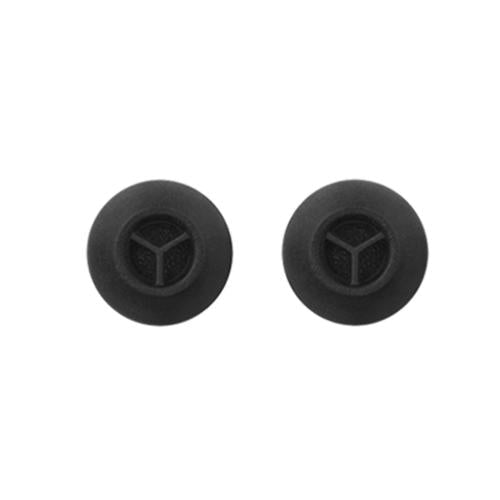
Headphones & Earphones

Headphones & Earphones Parts

Headphones and earphones combine acoustic parts, comfort parts, electronics, and structural pieces. A worn ear pad can change the sound seal, a broken hinge can make headphones unusable, a weak battery can shorten listening time, and a damaged cable can cut one channel in and out. GenuineReplacementParts.com helps shoppers identify headphone and earphone parts by model number, symptom, and part type so the repair fits and feels right.

What are headphone parts called? Common parts include drivers, diaphragms, voice coils, ear pads, ear tips, headband cushions, yokes, hinges, sliders, ear cups, grilles, detachable cables, boom microphones, Bluetooth boards, batteries, charging cases, buttons, and charging ports. In wireless earbuds, the charging case is part of the system because it stores, protects, and recharges the earbuds.

The driver is the small speaker inside the ear cup or earbud. It converts electrical signals into sound. Ear pads and ear tips help seal the sound, improve comfort, and affect bass response. Headbands, sliders, yokes, hinges, and shells hold the parts in place. Cables and connectors carry audio or charging power. Wireless models add batteries, Bluetooth chips, microphones, antennas, and control buttons.

Many headphone problems are not caused by the driver. If bass disappears, the ear pads or ear tips may be worn or the seal may be poor. If one side cuts out when the cable moves, the detachable cable or jack may be the issue. If a wireless headset will not charge, the charging cable, port, battery, or case contacts may need inspection. If the microphone sounds muffled, check the mic opening and boom before replacing electronics.

Exact fit matters because pads, tips, hinges, and cables can be very model-specific. Ear pads must match cup shape and attachment ring. Ear tips must match nozzle diameter and preferred fit. A balanced cable may use a different connector than a standard stereo cable. A charging case must match the earbud model and pairing system. A battery must match size, connector, and safe charging requirements.

Headphone and Earphone Symptoms

Symptom

Likely part

What to confirm

Weak bass or poor isolation

Ear pads, ear tips, seal, headband clamp

Pad shape, tip size, wear, fit

One side cuts out

Cable, jack, internal wire, driver

Try another cable if detachable

Wireless model will not charge

Battery, charging port, case contacts, cable

Cable, port debris, case model, battery condition

Hinge or slider broken

Hinge, yoke, slider, headband

Left/right side, screw points, color

Microphone muffled

Boom mic, inline mic, mesh, Bluetooth board

Mic opening, software input, cable connection

Earbud missing or case lost

Individual earbud, charging case

Exact model, left/right side, pairing support

Part Types and Fit Details

Part

Function

Fit detail

Ear pads

Restore comfort and acoustic seal

Cup shape, attachment lip, material

Ear tips

Seal in-ear models and improve stability

Nozzle diameter, size, silicone or foam

Audio cable

Carries signal to wired headphones

Connector size, locking style, inline mic support

Battery

Powers wireless models

Voltage, size, connector, safe charging design

Driver

Produces sound

Diameter, impedance, left/right housing

If the headphones connect to a phone, charging and pairing problems may start with the source device. Compare cable, port, and Bluetooth behavior with cell phone and accessories parts before replacing headphone electronics.

Cleaning can solve some symptoms. Remove dust from ear tips, wipe ear pads gently, clear charging contacts, and check for lint in ports. Do not soak drivers, mesh, or microphones. If pads are flaking or compressed, replacement is usually better than trying to revive them. If a battery is swollen or the headset gets hot while charging, stop using it.

For collar-style wireless earbuds with tether cables and a control pod, neckband parts may be more specific than general headphone parts.

Before ordering, identify the exact model, color, left/right side, connector type, and whether the part is cosmetic, comfort-related, electrical, or acoustic. For ear pads and tips, compare shape and attachment method. For cables, confirm microphone and remote-control compatibility. GenuineReplacementParts.com helps shoppers restore comfort, sound, charging, and structure without replacing a favorite pair.

If you listen through a portable music player, audio dropouts may involve the headphone cable or the player jack. Compare symptoms with Walkman replacement parts when a personal audio player is part of the setup.

Comfort parts deserve attention because they change both feel and sound. Flattened pads move drivers closer to the ear and can reduce isolation. Torn ear tips can make earbuds sound thin. A loose headband can break the acoustic seal. If the sound changed gradually over months, inspect pads, tips, and fit before replacing drivers or internal boards.

For wireless models, confirm whether the problem is in the headphones, charging case, cable, or source device. Clean charging contacts gently, test another cable and adapter, and check whether the headset appears in Bluetooth settings. If only one earbud fails to charge, compare left and right contact points. If both fail, the case, cable, battery, or charging circuit may be more likely.

Ordering headphone parts is easier when you separate the failure type. Comfort failures include worn pads, tips, cushions, and headband padding. Structural failures include cracked hinges, sliders, yokes, and shells. Electrical failures include batteries, ports, microphones, buttons, and boards. Acoustic failures include drivers, mesh, dampers, and internal wiring. Naming the failure this way helps match the correct listing.

For gaming and office headsets, microphone compatibility matters. Some boom microphones use proprietary connectors, and some inline controls are wired for specific devices. If the microphone works on one device but not another, check software input settings and adapter compatibility before replacing the mic. If the boom is physically loose or cracked, the microphone or hinge part may be the right target.

If the headphones are used daily, replacing comfort parts can also protect other parts. Fresh pads reduce pressure on hinges, proper tips reduce the urge to push earbuds too deeply, and the correct cable reduces strain on jacks.


POPULAR Headphones & Earphones BRANDS

Search result

Show filters
1 - 40 out of 12 results found in 0.003s
Sorted by

Headphones and earphones combine acoustic parts, comfort parts, electronics, and structural pieces. A worn ear pad can change the sound seal, a broken hinge can make headphones unusable, a weak battery can shorten listening time, and a damaged cable can cut one channel in and out. GenuineReplacementParts.com helps shoppers identify headphone and earphone parts by model number, symptom, and part type so the repair fits and feels right.

What are headphone parts called? Common parts include drivers, diaphragms, voice coils, ear pads, ear tips, headband cushions, yokes, hinges, sliders, ear cups, grilles, detachable cables, boom microphones, Bluetooth boards, batteries, charging cases, buttons, and charging ports. In wireless earbuds, the charging case is part of the system because it stores, protects, and recharges the earbuds.

The driver is the small speaker inside the ear cup or earbud. It converts electrical signals into sound. Ear pads and ear tips help seal the sound, improve comfort, and affect bass response. Headbands, sliders, yokes, hinges, and shells hold the parts in place. Cables and connectors carry audio or charging power. Wireless models add batteries, Bluetooth chips, microphones, antennas, and control buttons.

Many headphone problems are not caused by the driver. If bass disappears, the ear pads or ear tips may be worn or the seal may be poor. If one side cuts out when the cable moves, the detachable cable or jack may be the issue. If a wireless headset will not charge, the charging cable, port, battery, or case contacts may need inspection. If the microphone sounds muffled, check the mic opening and boom before replacing electronics.

Exact fit matters because pads, tips, hinges, and cables can be very model-specific. Ear pads must match cup shape and attachment ring. Ear tips must match nozzle diameter and preferred fit. A balanced cable may use a different connector than a standard stereo cable. A charging case must match the earbud model and pairing system. A battery must match size, connector, and safe charging requirements.

Headphone and Earphone Symptoms

Symptom

Likely part

What to confirm

Weak bass or poor isolation

Ear pads, ear tips, seal, headband clamp

Pad shape, tip size, wear, fit

One side cuts out

Cable, jack, internal wire, driver

Try another cable if detachable

Wireless model will not charge

Battery, charging port, case contacts, cable

Cable, port debris, case model, battery condition

Hinge or slider broken

Hinge, yoke, slider, headband

Left/right side, screw points, color

Microphone muffled

Boom mic, inline mic, mesh, Bluetooth board

Mic opening, software input, cable connection

Earbud missing or case lost

Individual earbud, charging case

Exact model, left/right side, pairing support

Part Types and Fit Details

Part

Function

Fit detail

Ear pads

Restore comfort and acoustic seal

Cup shape, attachment lip, material

Ear tips

Seal in-ear models and improve stability

Nozzle diameter, size, silicone or foam

Audio cable

Carries signal to wired headphones

Connector size, locking style, inline mic support

Battery

Powers wireless models

Voltage, size, connector, safe charging design

Driver

Produces sound

Diameter, impedance, left/right housing

If the headphones connect to a phone, charging and pairing problems may start with the source device. Compare cable, port, and Bluetooth behavior with cell phone and accessories parts before replacing headphone electronics.

Cleaning can solve some symptoms. Remove dust from ear tips, wipe ear pads gently, clear charging contacts, and check for lint in ports. Do not soak drivers, mesh, or microphones. If pads are flaking or compressed, replacement is usually better than trying to revive them. If a battery is swollen or the headset gets hot while charging, stop using it.

For collar-style wireless earbuds with tether cables and a control pod, neckband parts may be more specific than general headphone parts.

Before ordering, identify the exact model, color, left/right side, connector type, and whether the part is cosmetic, comfort-related, electrical, or acoustic. For ear pads and tips, compare shape and attachment method. For cables, confirm microphone and remote-control compatibility. GenuineReplacementParts.com helps shoppers restore comfort, sound, charging, and structure without replacing a favorite pair.

If you listen through a portable music player, audio dropouts may involve the headphone cable or the player jack. Compare symptoms with Walkman replacement parts when a personal audio player is part of the setup.

Comfort parts deserve attention because they change both feel and sound. Flattened pads move drivers closer to the ear and can reduce isolation. Torn ear tips can make earbuds sound thin. A loose headband can break the acoustic seal. If the sound changed gradually over months, inspect pads, tips, and fit before replacing drivers or internal boards.

For wireless models, confirm whether the problem is in the headphones, charging case, cable, or source device. Clean charging contacts gently, test another cable and adapter, and check whether the headset appears in Bluetooth settings. If only one earbud fails to charge, compare left and right contact points. If both fail, the case, cable, battery, or charging circuit may be more likely.

Ordering headphone parts is easier when you separate the failure type. Comfort failures include worn pads, tips, cushions, and headband padding. Structural failures include cracked hinges, sliders, yokes, and shells. Electrical failures include batteries, ports, microphones, buttons, and boards. Acoustic failures include drivers, mesh, dampers, and internal wiring. Naming the failure this way helps match the correct listing.

For gaming and office headsets, microphone compatibility matters. Some boom microphones use proprietary connectors, and some inline controls are wired for specific devices. If the microphone works on one device but not another, check software input settings and adapter compatibility before replacing the mic. If the boom is physically loose or cracked, the microphone or hinge part may be the right target.

If the headphones are used daily, replacing comfort parts can also protect other parts. Fresh pads reduce pressure on hinges, proper tips reduce the urge to push earbuds too deeply, and the correct cable reduces strain on jacks.


897 products

Part

Sony Part# 5-013-656-31 Carrying Case (Blue) - Genuine OEM
5-013-656-31
$40.45 $52.59

In stock 1 Products

Quick View

In stock 1 Products

Part

Sony

$40.45 $52.59
Quick View

Model

Sony WHG910N/W Inzone H9 Ii Wireless Noise Canceling Gaming Headset (White) Parts

In stock 0 Products

Model

Sony

$99,999.00
Quick View

Model

In stock 0 Products

Model

Sony

$99,999.00
Quick View

Model

In stock 0 Products

Model

Sony

$99,999.00
Quick View

Model

Sony WFLS910N/P Linkbuds Fit Truly Wireless Noise Canceling Earbuds (Pink) Parts

In stock 0 Products

Model

Sony

$99,999.00
Quick View

Model

In stock 0 Products

Model

Sony

$99,999.00
Quick View

Model

In stock 0 Products

Model

Sony

$99,999.00
Quick View

Model

In stock 0 Products

Model

Sony

$99,999.00
Quick View

Model

In stock 0 Products

Model

Sony

$99,999.00
Quick View

Model

In stock 0 Products

Model

Sony

$99,999.00
Quick View

Model

Sony WH1000XM5SA/B Wireless Industry Leading Noise Canceling Headphones (Black) Parts

In stock 0 Products

Model

Sony

$99,999.00
Quick View

Model

Sony WHG910N/B Inzone H9 Ii Wireless Noise Canceling Gaming Headset (Bleck) Parts

In stock 0 Products

Model

Sony

$99,999.00
Quick View

Model

Sony IERG900/B Inzone E9 Wired In-Ear Monitor For Gaming (Black) Parts

In stock 0 Products

Model

Sony

$99,999.00
Quick View

Model

Sony IEREX15C/W Usb-C Wired In-Ear Headphones (White) Parts

In stock 0 Products

Model

Sony

$99,999.00
Quick View

Model

Sony IERG900/W Inzone E9 Wired In-Ear Monitor For Gaming (White) Parts

In stock 0 Products

Model

Sony

$99,999.00
Quick View

Model

Sony IEREX15C/P Usb-C Wired In-Ear Headphones (Pink) Parts

In stock 0 Products

Model

Sony

$99,999.00
Quick View

Model

Sony IEREX15C/L Usb-C Wired In-Ear Headphones (Blue) Parts

In stock 0 Products

Model

Sony

$99,999.00
Quick View

Model

In stock 0 Products

Model

Samsung

$99,999.00
Quick View

Model

In stock 0 Products

Model

Samsung

$99,999.00
Quick View

Model

Samsung SMI610 Galaxy Xr Parts

In stock 0 Products

Model

Samsung

$99,999.00
Quick View

Frequently Asked Questions

Quick answers for your replacement part needs

Where can I find genuine replacement parts for my appliance?

Finding genuine replacement parts for your appliances has never been easier! We offer authentic parts for over 250 brands, including LG, Samsung, Whirlpool, Kenmore, Dyson, Bosch, and Liebherr. Simply enter your appliance's model number on our website, and explore our extensive selection of compatible parts designed to restore your appliance's peak performance and reliability.

What type of appliance parts and accessories are available for purchase?

Are your replacement parts compatible with all models?

What if I can’t find the appliance part I need?

How can I track my order for appliance parts online?

How long will it take to receive my replacement parts order?

Can I return appliance parts if they are not compatible with my model?

How can I update my shipping address after placing an order?

How can I get in touch with customer support?

Couldn’t find the answer to your question?

Your satisfaction matters. Let us know how we can assist with your repair journey.

Your Cart ( 0 items)

You currently have 0 items in your Cart

Return to shop
Menu

Compatible Models