Find replacement parts by matching the exact device, vehicle, or computer model number, checking the old part number, and comparing fit details before ordering.
2-in-1 PC parts are replacement components for convertible laptops, detachable tablets, and hybrid computers that work as both a laptop and a touch device. Common parts include touchscreens, LCD panels, digitizers, 360-degree hinges, batteries, keyboards, touchpads, charging ports, fans, speakers, cameras, Wi-Fi cards, stylus parts, motherboards, cables, and bottom covers. Because these devices are thin and tightly engineered, most parts are highly model-specific.
The most important rule is simple: match the part to the exact brand, model, serial number, service tag, or manufacturer part number. A touchscreen for one 2-in-1 model may look the same size as another but use a different cable, connector, digitizer layer, bezel, or hinge layout. A hinge may fit only one chassis generation. A battery may share a similar shape but have a different connector or safety rating. Exact matching is not optional with hybrid PCs.
A 2-in-1 PC repair usually starts with identifying the failed function. If the screen image works but touch does not respond, the digitizer or touch cable may be the issue. If the display is cracked, dim, or has lines, the LCD or complete display assembly may be needed. If the device will not hold its position in laptop or tablet mode, the hinge set may be worn. If it shuts down quickly or will not charge, the battery, charging port, adapter, or power board should be checked.
Customers who are comparing electronic repairs across categories should keep device types separate. A convertible computer screen uses ribbon cables and hinges, while a radio player uses tuner, antenna, speaker, and control components. For small audio repair parts, refer to FM/AM player parts and avoid using radio terminology when shopping for PC components.
If you own a gaming or creator-focused 2-in-1 PC, the replacement parts still need exact model matching. Gaming or creator-focused 2-in-1 devices may have stronger cooling fans, higher-resolution displays, dedicated graphics boards, or larger power adapters. Those parts are not automatically interchangeable with standard models from the same brand. Always confirm the model generation, screen resolution, connector position, and wattage before ordering.
Common 2-In-1 PC Problems and Replacement Parts
|
Problem
|
Likely Part Area
|
What to Confirm
|
|
Cracked touchscreen
|
Digitizer or complete display assembly
|
Screen size, resolution, cable, bezel style
|
|
Display image but no touch
|
Touch digitizer, touch cable, controller board
|
Whether the display is bonded or separate
|
|
Loose screen angle
|
Left and right hinge set
|
Exact model and hinge screw pattern
|
|
Will not hold charge
|
Battery, adapter, charging port, power board
|
Battery rating and connector shape
|
|
Noisy or hot device
|
Cooling fan, heatsink, thermal parts
|
Fan size, connector, screw layout
|
Screens are one of the most common 2-in-1 PC replacement needs. A complete display assembly may include the LCD, touchscreen glass, digitizer, webcam, antenna cables, and hinges. A panel-only replacement may include just the LCD. A digitizer-only repair may replace touch glass but keep the display panel. Before ordering, check whether your model uses a bonded display. If the glass and LCD are factory-bonded, replacing only one layer can be difficult and may require special tools.
Hinges carry extra stress on a 2-in-1 PC because the screen folds, rotates, or detaches more often than a standard laptop screen. A loose hinge can make the display wobble, cause the lid to close unevenly, or put pressure on internal display cables. If a hinge is cracked or stiff, do not force the screen open. Continued pressure can damage the display back cover, cable, or motherboard connector. Match left and right hinge parts carefully because they are often not identical.
If your repair is related to a vehicle display or GPS unit, do not use laptop screen parts. A dashboard navigation module may include a touchscreen, but it relies on vehicle-specific trim, wiring, and GPS hardware. For that type of exact-fit search, use navigation system parts and match by vehicle year, make, model, trim, and original part number.
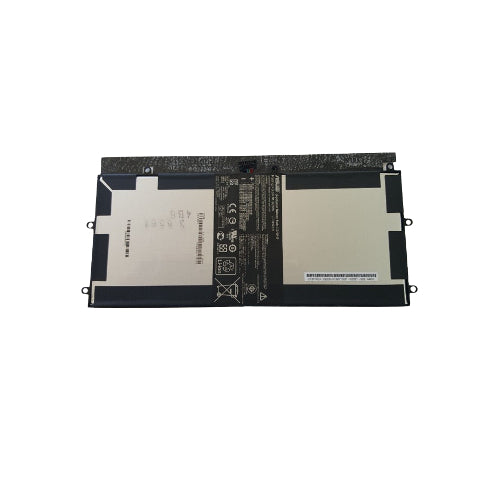
Batteries and charging parts require extra care. A swollen battery, overheating battery, or damaged charging port should be handled carefully and not ignored. Use the battery model number, voltage, watt-hour rating, connector shape, and screw layout to identify the replacement. If the device does not charge, confirm whether the adapter, DC jack, USB-C charging board, internal cable, or battery is actually at fault before replacing the wrong part.
Keyboards and touchpads can fail after liquid spills, worn keys, damaged ribbon cables, or heavy daily use. Some 2-in-1 PCs use a detachable keyboard cover, while others use a built-in keyboard inside the lower chassis. A keyboard from one language layout or backlight option may not match another. Check keyboard layout, backlight support, palm-rest color, screw positions, and cable type.
Many customers compare 2-in-1 PC repairs with all-in-one desktop repairs because both can have integrated displays and tight internal layouts. The difference is that an all-in-one desktop is built into a monitor-style case and usually uses a stand, desktop power input, speakers, fan system, and larger display assembly. For those repairs, compare all-in-one desktop parts instead of assuming laptop parts will fit.
Before You Buy 2-In-1 PC Parts
|
Check
|
Reason
|
|
Model and serial number
|
Hybrid PCs often have several similar generations.
|
|
Old part number
|
Printed FRU or spare numbers reduce fit mistakes.
|
|
Display type
|
LCD-only, digitizer-only, and full assembly are different repairs.
|
|
Connector location
|
A similar part can have the wrong cable position.
|
|
DIY difficulty
|
Battery, screen, and motherboard repairs vary in risk.
|
Motherboards, fans, and internal cables are more technical parts. A noisy fan may need cleaning or replacement. A failed motherboard may show no power, charging failure, no display, or repeated startup errors. Internal cables can cause touch, camera, Wi-Fi, display, or charging problems when pinched near the hinge area. Board-level replacements often require ESD-safe handling and careful screw tracking.
2-in-1 PC parts are not the same thing as PC parts combo deals or desktop component bundles. Standard CPU, motherboard, and RAM bundles are usually made for desktop tower builds. A 2-in-1 PC uses compact, model-specific hardware that often cannot accept standard desktop components. In many models, the processor is soldered, the motherboard shape is proprietary, and the display parts are custom to the chassis.
Before you order, gather the device model number, serial or service tag, screen size, resolution, old part number, and photos of the damaged component. If replacing a display, check whether you need LCD only, digitizer only, or a complete display assembly. If replacing hinges, confirm left/right side and screw pattern. If replacing a battery, compare the printed rating and connector.
Small case parts are worth checking as well. A cracked bottom cover, worn rubber foot, loose hinge cap, missing screw, broken stylus holder, or damaged port cover can affect daily use even when the computer still turns on. These parts should still be matched by exact model because screw lengths, clip positions, color finishes, and cable routing can change between generations.
GenuineReplacementParts helps customers search for exact 2-in-1 PC replacement parts without guessing from appearance alone. Use the complete device information, compare part numbers, and review the symptom before placing an order. If the repair involves swollen batteries, soldered charging ports, or motherboard work, have the device inspected by a qualified technician.
Quick Ordering Checklist
- Confirm the exact product, vehicle, or computer model number before ordering.
- Compare the old part number, connector shape, mounting points, and size.
- Review symptoms so you replace the part that is actually causing the issue.
- Check whether the repair is a simple external replacement or an internal repair that needs a technician.
- Use GenuineReplacementParts to look for exact-fit replacement components for your device.