


 Price Match Guarantee
i
How to Submit a Price Match Request
If you find a lower eligible price on an identical OEM part from a qualifying retailer, just navigate to the product page on our website. Right next to the price, you’ll see a “Price Match” button. Click that button to open our Price Match Request Form. Fill out the form and include a link to the competitor’s product, along with the other required details. Our team will review the request based on our Price Match Policy and determine whether it qualifies. If it does, we’ll approve the match; if not, we’ll explain why it didn’t meet the criteria. You’ll hear from us via email once the review is complete. Read More about our Price Match Policy


Zoom


Add To Profile
Have a question?
Product Description
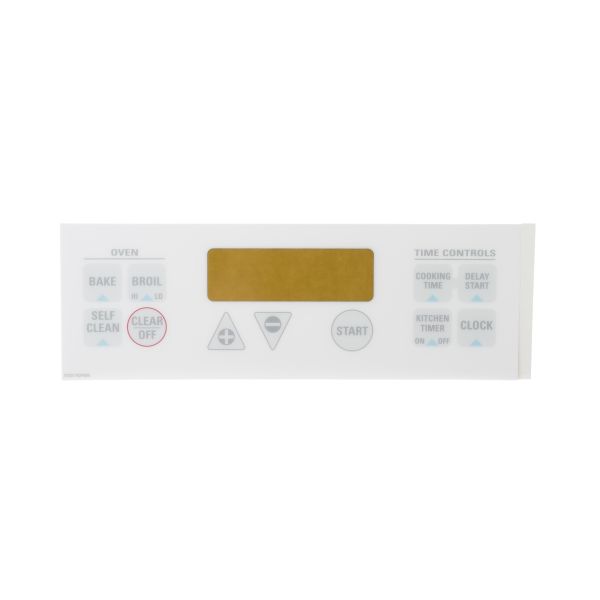
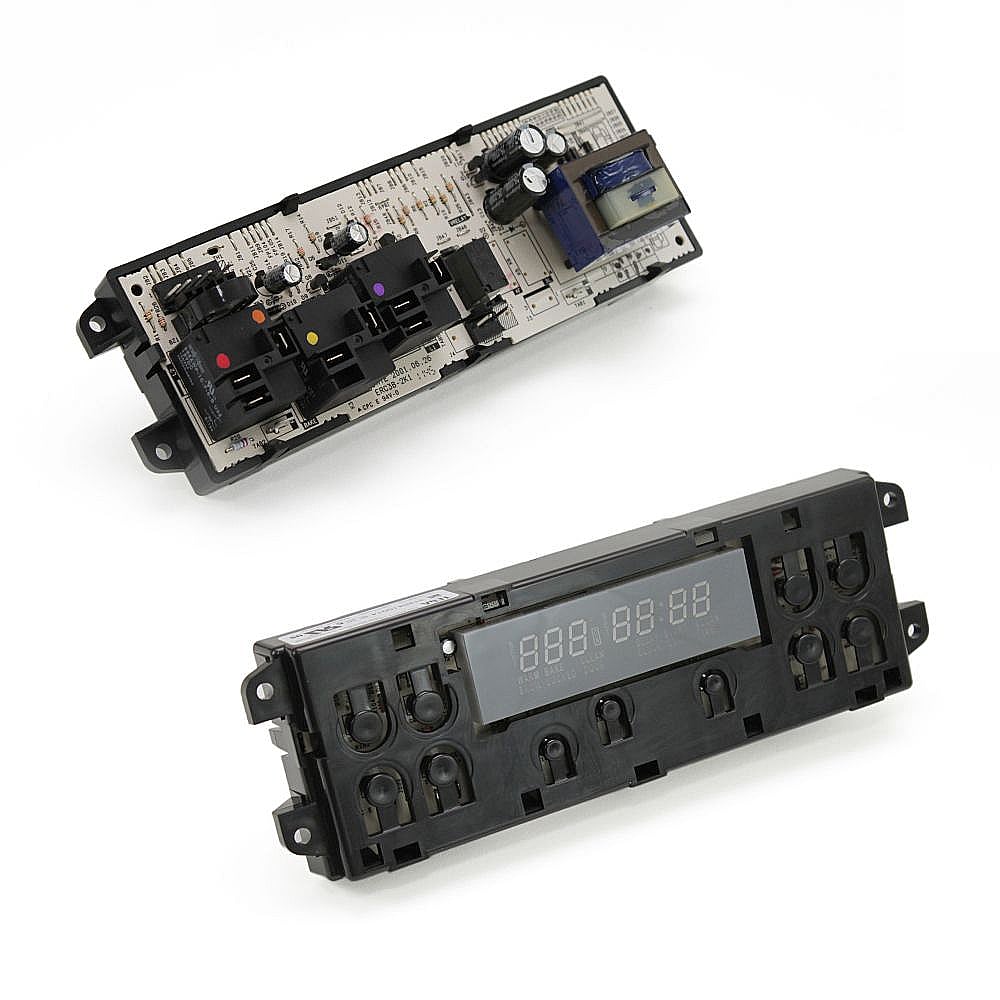
The GE Touchpad Control Panel (White) JSP40WW3WW is an exterior user interface component responsible for allowing users to control and monitor oven operations. It provides access to temperature settings, cooking modes, timers, and touchpad functions during appliance use. This touchpad control panel is commonly used in select oven models and plays an important role in maintaining proper appliance operation and user interaction. A faulty or damaged control panel can cause unresponsive touch controls, display issues, incorrect settings, or limited oven functionality. Installed on the front control section of the oven assembly, this component is designed for dependable performance and repeated daily use. Replacing a worn or malfunctioning touchpad control panel can help restore proper oven operation and improve appliance usability.
Why Buy From Us?
We provide authentic OEM components to ensure precise fit and long-term functionality. With fast shipping, easy returns, and expert assistance, you can confidently restore your washer’s performance. Count on us for dependable parts and trustworthy service throughout your repair.


Key Features of GE Touchpad Control Panel (White) JSP40WW3WW
- Controls Oven Functions: Manages cooking settings and operational inputs
- Restores Proper Touchpad Operation: Fixes display and control issues
- Durable Construction: Designed for reliable long-term use
- Direct Replacement Part: Fits select oven models
- Supports Convenient Appliance Operation: Helps maintain full cooking control functionality
Technical Specifications of GE Touchpad Control Panel (White) JSP40WW3WW
- Part Number: WB27K5338
- Component Type: Oven touchpad control panel
- Function: Controls cooking settings, display, and touchpad operations
- Material: Plastic and electronic control panel assembly
- Installation Location: Mounted on front oven control section
- Compatibility: Used in select oven models
Common Problems & Symptoms for GE Touchpad Control Panel (White) JSP40WW3WW
- Unresponsive Touch Controls: Touchpad buttons not functioning properly
- Display Failure: Screen not operating correctly
- Incorrect Settings Operation: Faulty controls affecting cooking performance
- Intermittent Response: Inconsistent touchpad operation
- Physical Damage: Cracks, scratches, or wear affecting usability
Installation Guide for GE Touchpad Control Panel (White) JSP40WW3WW
- Disconnect power to the oven.
- Remove screws securing the existing control panel assembly.
- Access and disconnect wiring connectors carefully.
- Remove the damaged touchpad control panel from the appliance.
- Position the replacement control panel correctly onto the oven.
- Reconnect wiring and secure the panel into place.
- Restore power and test touchpad and display functions.
Return Policy
- Hassle-free returns within 30 days of purchase.
- Items must be unused and in original packaging.
- Quick refunds issued after inspection of the returned product.
- Free replacement offered for defective or damaged items.
- Dedicated support team ensures a smooth and transparent return process.
Compatible Models
Locate your appliance’s model number on the manufacturer’s label and use it to check part-model compatibility before ordering.
Where to find my model number?
| Brand | Model Number | Model Description | Exploded View |
|---|---|---|---|
No Models Found
The GE Touchpad Control Panel (White) JSP40WW3WW is the correct replacement for the following model numbers
The GE Touchpad Control Panel (White) JSP40WW3WW is an exterior user interface component responsible for allowing users to control and monitor oven operations. It provides access to temperature settings, cooking modes, timers, and touchpad functions during appliance use. This touchpad control panel is commonly used in select oven models and plays an important role in maintaining proper appliance operation and user interaction. A faulty or damaged control panel can cause unresponsive touch controls, display issues, incorrect settings, or limited oven functionality. Installed on the front control section of the oven assembly, this component is designed for dependable performance and repeated daily use. Replacing a worn or malfunctioning touchpad control panel can help restore proper oven operation and improve appliance usability.
Why Buy From Us?
We provide authentic OEM components to ensure precise fit and long-term functionality. With fast shipping, easy returns, and expert assistance, you can confidently restore your washer’s performance. Count on us for dependable parts and trustworthy service throughout your repair.
Key Features of GE Touchpad Control Panel (White) JSP40WW3WW
- Controls Oven Functions: Manages cooking settings and operational inputs
- Restores Proper Touchpad Operation: Fixes display and control issues
- Durable Construction: Designed for reliable long-term use
- Direct Replacement Part: Fits select oven models
- Supports Convenient Appliance Operation: Helps maintain full cooking control functionality
Frequently Bought Together
Customer Reviews


Frequently Asked Questions
Quick answers for your replacement part needs
Where can I find genuine replacement parts for my appliance?
Finding genuine replacement parts for your appliances has never been easier! We offer authentic parts for over 250 brands, including LG, Samsung, Whirlpool, Kenmore, Dyson, Bosch, and Liebherr. Simply enter your appliance's model number on our website, and explore our extensive selection of compatible parts designed to restore your appliance's peak performance and reliability.
What type of appliance parts and accessories are available for purchase?
Are your replacement parts compatible with all models?
What if I can’t find the appliance part I need?
How can I track my order for appliance parts online?
How long will it take to receive my replacement parts order?
Can I return appliance parts if they are not compatible with my model?
How can I update my shipping address after placing an order?
How can I get in touch with customer support?
Couldn’t find the answer to your question?
Your satisfaction matters. Let us know how we can assist with your repair journey.

Wishlist
You currently have 0 items in your Wishlist
Compare
Your Cart ( 0 items)





